
Download Multi Monitor Show – Multi Monitor Display, Multi Monitor Setup, Multi Monitor Software, Multi Monitor Utility, Multi Monitor Extension
Overview
Multi Monitor Show is a productivity-focused software application designed to enhance multi-monitor setups on Windows systems. The app enables users to display graphic content or videos across multiple screens, making it ideal for creating dynamic information boards, digital signage, or advertising displays. It addresses the common challenge of managing content across several monitors by offering centralized control and real-time monitoring. The software is particularly suited for businesses, creative professionals, and organizations that rely on visual communication across multiple screens.
Target users include office administrators, retail managers, event coordinators, and digital content creators who require synchronized yet independent control over multiple displays. The app supports the creation of customized visual presentations, allowing different content to be shown on each monitor while maintaining a cohesive overall experience. Real-world use cases include displaying real-time data in corporate lobbies, showcasing product promotions in retail environments, or managing live event visuals across multiple screens.
While the developer, Multi Monitor Show, did not provide additional background information, the app’s functionality suggests a focus on usability and professional-grade output. Its presence in the productivity category highlights its role as a utility tool for optimizing digital display workflows. The release date of May 21, 2025, indicates it is a relatively recent entry in the multi-monitor software space, positioning it as a modern solution for evolving display needs.
Key Features & Functionality
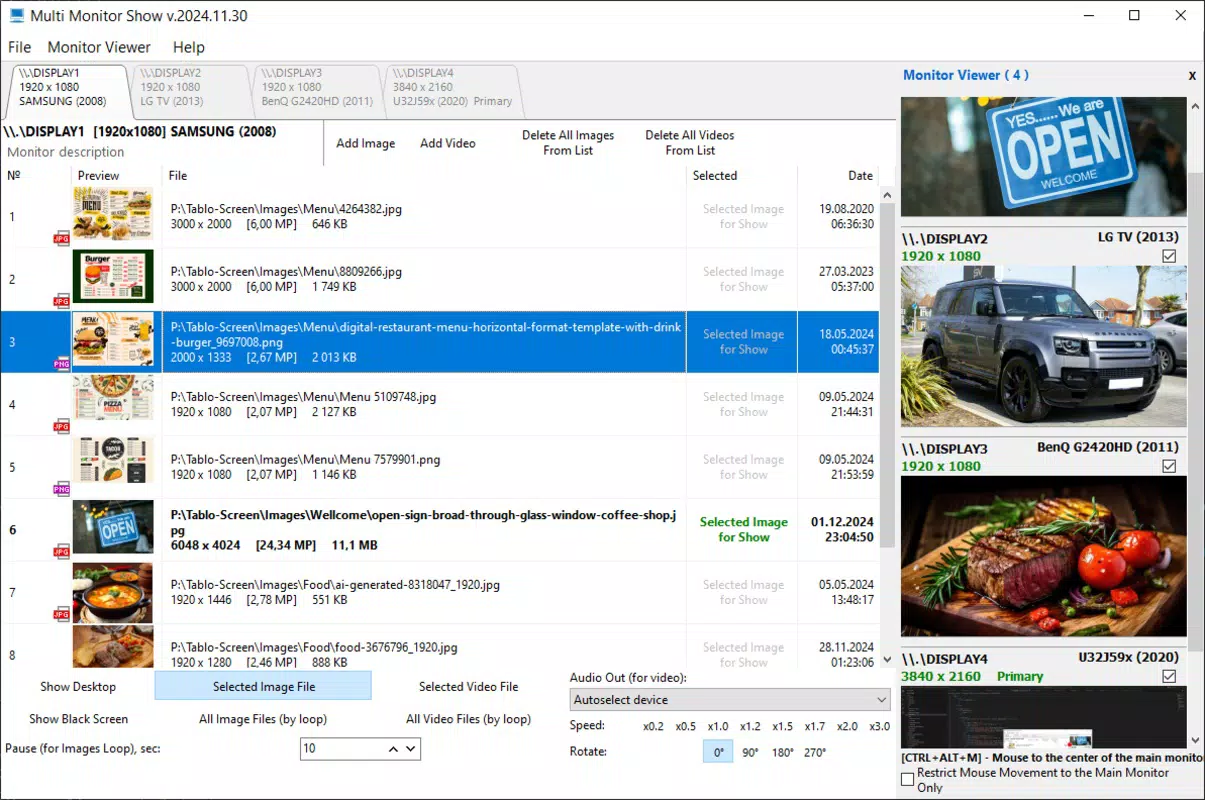
- Independent Monitor Control: Each additional monitor can display unique content, enabling users to show different messages, videos, or graphics on each screen. This is especially beneficial for environments like retail stores where various products or promotions can be highlighted simultaneously.
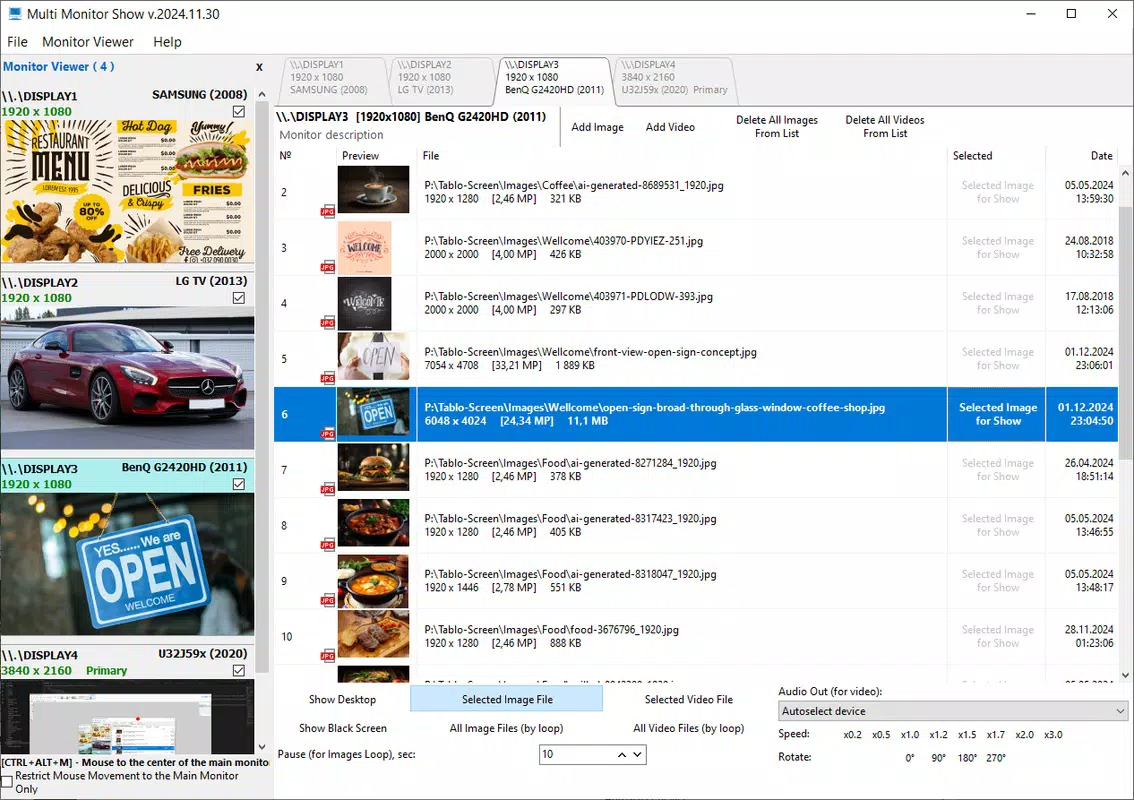
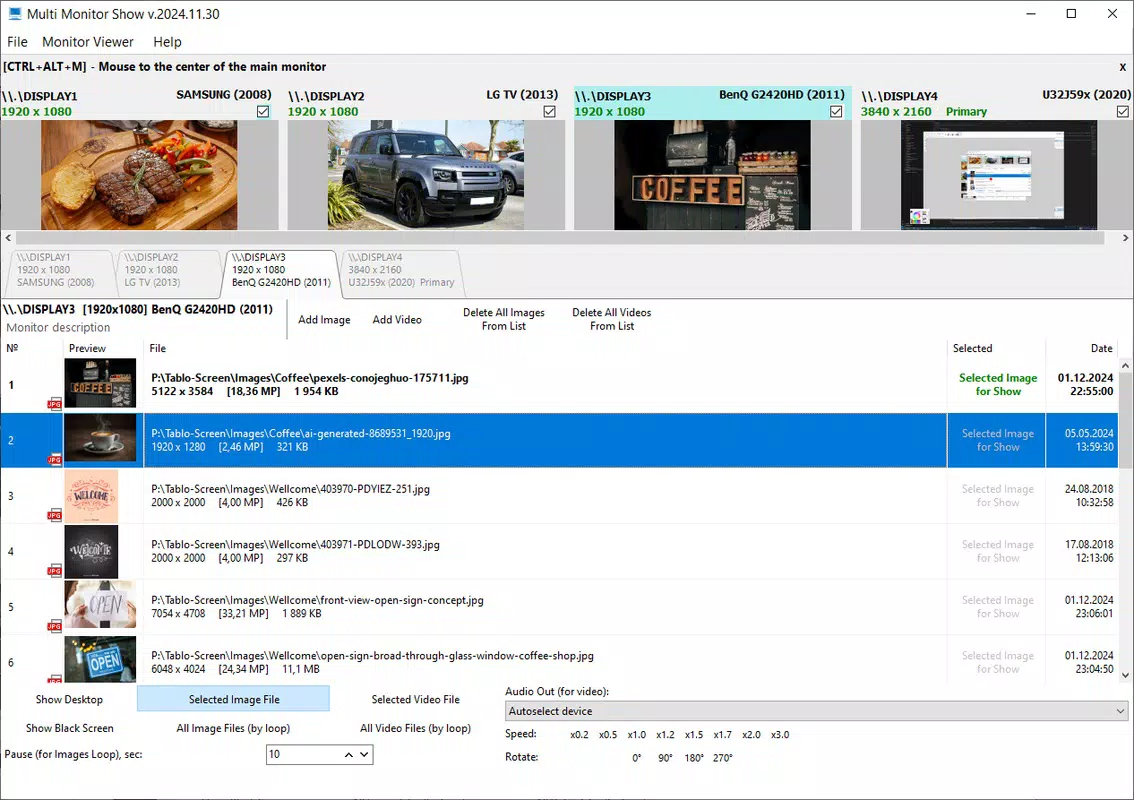
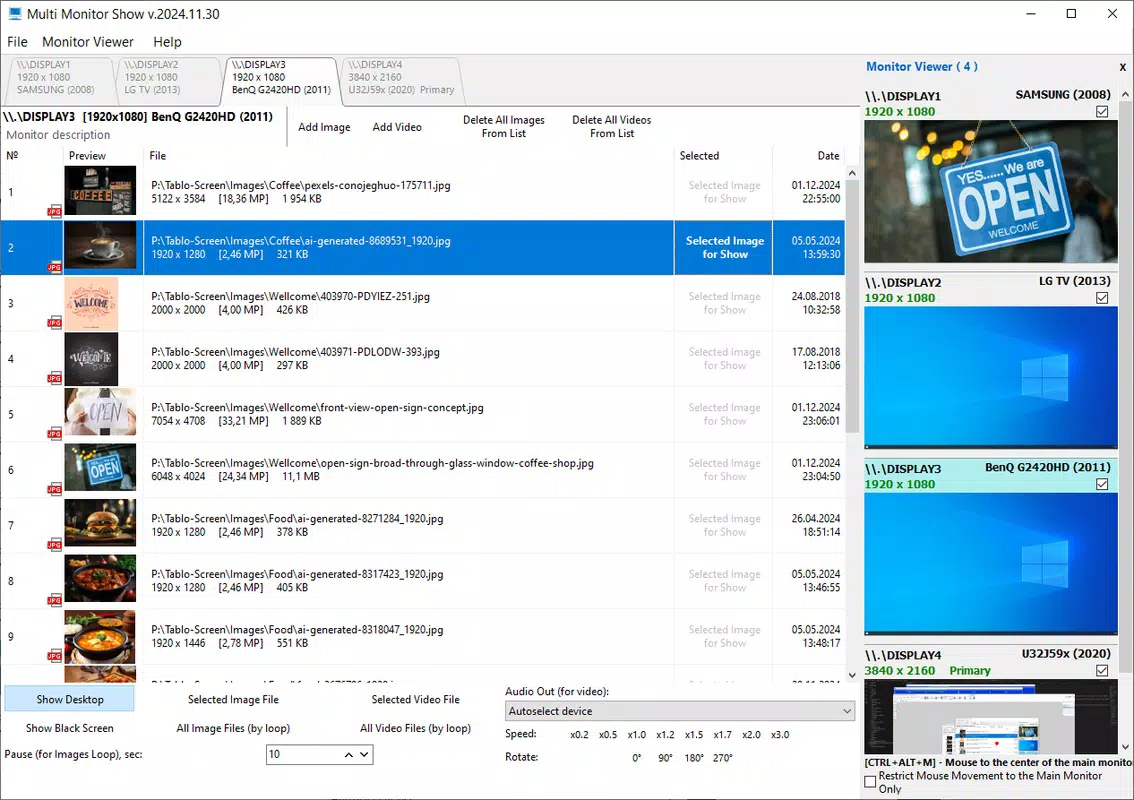
- Real-Time Content Display: The content being shown on secondary monitors is mirrored on the primary screen in real time. This allows users to monitor all displays from one location, reducing the risk of errors during presentations or live broadcasts.
- Versatile Use Cases: The app supports a wide range of applications, including office information boards, digital signage in public spaces, and photo-video advertising displays. Its flexibility makes it adaptable to both corporate and creative environments.
- User-Friendly Interface: Designed with simplicity in mind, the interface allows users to manage display layouts, upload media, and adjust settings without requiring technical expertise. This lowers the barrier to entry for non-technical users.
- High-Quality Output: Multi Monitor Show supports high-resolution graphics and video playback, ensuring that visual content appears sharp and professional. This feature is essential for maintaining audience engagement and brand image.
For example, a retail manager could use the app to display a rotating product showcase on one monitor while showing customer testimonials on another. A corporate office might use it to display live stock updates on one screen and company announcements on another, all managed from a single interface.
Interface, UX & Performance
Multi Monitor Show features a clean and intuitive interface that prioritizes ease of use and visual clarity. The layout is organized around a central dashboard where users can view and manage all connected monitors. Navigation is straightforward, with clearly labeled sections for content upload, display configuration, and real-time preview.
The visual style is minimalistic, focusing on functionality without unnecessary distractions. Users can drag and drop media files, adjust screen layouts, and apply settings with minimal clicks. The real-time preview on the primary monitor enhances usability by allowing immediate feedback on content placement and timing.
Although the developer did not list formal performance metrics, the app is designed to run efficiently on standard Windows systems. It maintains responsiveness even when managing multiple high-resolution video streams. Stability appears to be a priority, as the software supports continuous operation without reported crashes or freezes. Performance may vary depending on hardware capabilities, but the lightweight file size of 20.5 MB suggests optimized resource usage.
Platform Compatibility & Technical Requirements
Multi Monitor Show is available exclusively for the Windows platform. The current version is 2.0.3, with a file size of 20.5 MB. This indicates a compact installation package, suitable for systems with limited storage. The app is designed to run on modern Windows operating systems, though specific OS version requirements were not disclosed by the developer.
Compatibility information was not fully disclosed, so users should ensure their system meets general Windows compatibility standards. The app does not appear to require high-end hardware, given its small size and focus on display management rather than intensive processing. However, actual performance may depend on the number of monitors, resolution settings, and media quality being used.
Pros and Cons
Pros
- Enables independent content control across multiple monitors
- Provides real-time preview on the primary display
- Supports high-quality graphics and video output
- Intuitive interface suitable for non-technical users
- Lightweight installation with minimal system impact
Cons
- Platform limited to Windows; no information on iOS or Android availability
- Specific system requirements were not listed
- Price point of $19.99 may be high for casual users
- No mention of automatic update notifications
- Developer did not provide detailed technical documentation
FAQ
Is Multi Monitor Show compatible with all Windows versions?
The developer did not specify minimum OS requirements. Users should ensure their system meets standard Windows compatibility standards.
Can I use Multi Monitor Show on multiple monitors simultaneously?
Yes, the app is designed to manage multiple monitors, allowing independent content display on each screen.
Is the app secure to download and install?
Multi Monitor Show is distributed through official channels. Users should only download from trusted sources to ensure security.
Does Multi Monitor Show support video playback?
Yes, the software supports high-quality video output and playback across connected monitors.
How often is Multi Monitor Show updated?
Specific update frequency was not provided. Users should check the official website for the latest version.
Final Thoughts
Multi Monitor Show stands out as a practical and efficient tool for users seeking to maximize the potential of their multi-monitor setups. Its ability to deliver independent, high-quality content across multiple screens while maintaining real-time monitoring makes it a valuable asset in professional environments. The intuitive interface ensures accessibility for users of all technical levels, and the lightweight design supports smooth operation without overwhelming system resources.
While the app is limited to Windows and lacks detailed technical documentation, its core functionality is well-executed and purpose-built. Businesses and organizations that rely on visual communication will find significant value in its versatility and reliability. For anyone looking to enhance digital displays in offices, retail spaces, or events, Multi Monitor Show offers a focused and effective solution.
Download Multi Monitor Show now


